All Clear! Hear from everyone!
A team speaking game for ESL classes. All students say the sentence into their phones at the same time. Each correct pronunciation scores a point for their team.
- Scan a QR code to join
- Teams are made automatically
- In person, Zoom, or HyFlex
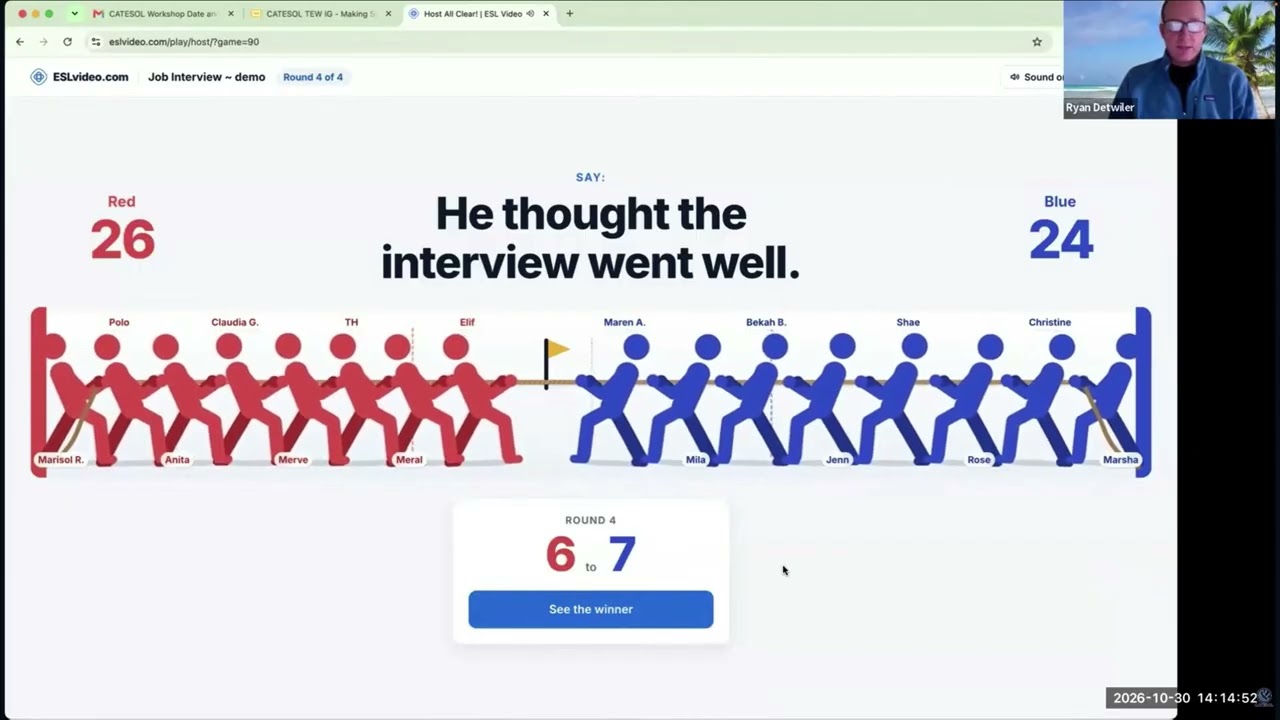
Play in person, on Zoom, and HyFlex.
The teacher hosts the game. Students scan the QR code to join. Each time a student says the sentence correctly, their team scores a point and the rope moves toward their side.

Start a game in four steps.
Choose a set
Pick a ready-made set, or click + New set. Add a title and up to 10 short sentences, one per line, then click Save set.
Pick your settings
Choose a class to save results to your class reports. Then set the number of rounds and the seconds per round.
Click Host game
Your screen shows a QR code and a game PIN. Project it, or share your screen online.
Students join
Students scan the QR code, or go to eslvideo.com/play and enter the PIN. When everyone is in, start the game.
Scan. Speak. Score.
Scan to join
Students scan the QR code or open the join link. Teaching on Zoom? Paste the link in the chat. Students type their name and tap Join. Teams are made automatically.
Speak
Students talk into their phones. They tap and hold the Hold to speak button and say the sentence.
Score
Every correct pronunciation earns 1 point for the student’s team.
Everyone speaks.
In All Clear!, every phone is a microphone, so everyone speaks in every round.

Pronunciation feedback
Students see right away if they scored a point.
Coming soon: more detailed feedback at the end of each round.
Gamified speaking practice.
Everyone speaks
Every phone is a microphone. All students speak in every round.
Accuracy and fluency
Students say the sentences again and again, and see right away if they scored.
In person, Zoom, or HyFlex
Project the game in class or share your screen online. Students join on their phones.
Try All Clear! free.
Play with an account.
Develop digital and AI literacy skills.
Improve accuracy and fluency.
Watch demo video.